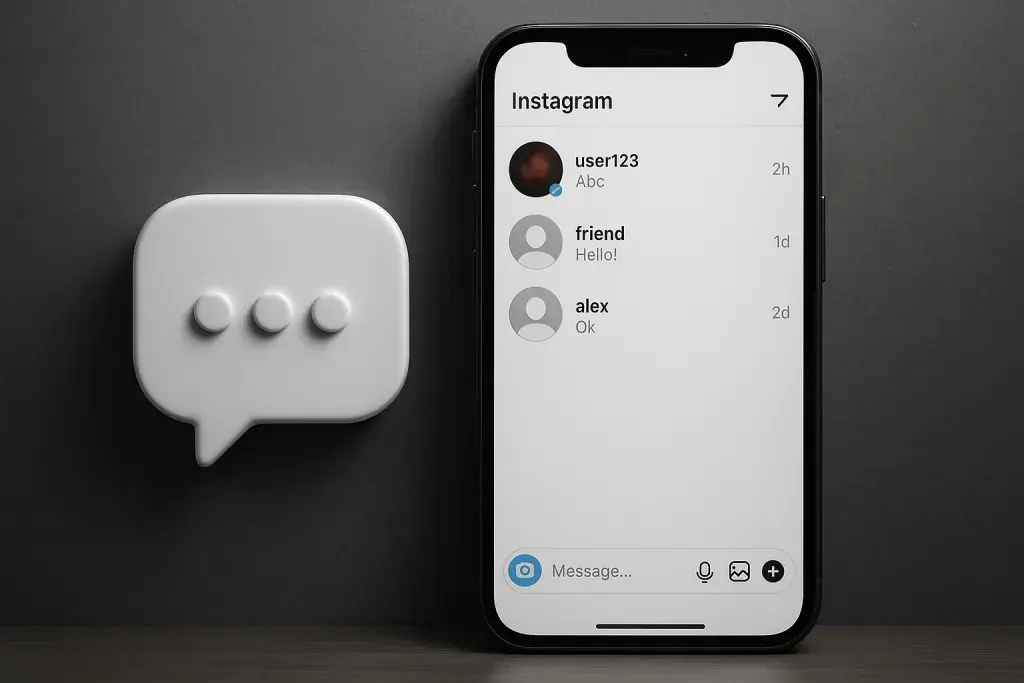
Somewhere between a new emoji reaction and a redesigned inbox, Instagram quietly rewrites how millions of people talk to each other every day. Most users never notice the moment a feature shifts from test group to global rollout - they just wake up to a chat screen that looks or behaves differently than it did the week before. That quiet, constant churn is exactly what makes Instagram's messaging system worth paying attention to, especially if you run a business account, manage a community, or simply want to know why your inbox suddenly looks unfamiliar.
Instagram DM updates rarely arrive with fanfare. A new reaction button, a redesigned notes bar, a tweak to how disappearing messages behave - these changes accumulate faster than most casual users track them. For creators and brands, the stakes are higher. Many accounts pair inbox strategy with content visibility, and some choose to boost views on instagram before funneling that new attention into direct conversations, turning messaging into a genuine sales and retention channel rather than an afterthought.
This guide walks through what's actually changed, what's working, what's frustrating users, and what's likely coming next. Rather than skimming the surface, we'll look at the history of Instagram's messaging tools, compare them against competitors, and give you a practical framework for using DMs more effectively - whether you're chatting with friends or running a business through your inbox.
What Are Instagram DM Updates? A Quick Primer
An Instagram DM update is any change Instagram makes to its direct messaging system - the private chat feature built into the app. That covers a wide range of changes: visual redesigns of the inbox, new privacy controls, added messaging tools like reactions or voice notes, business-facing features like automated replies, and safety measures such as spam filters or message request screening. Not every update looks the same, and understanding the categories helps make sense of why some changes feel cosmetic while others fundamentally alter how you use the app.
Instagram updates its messaging features far more often than most people realize. Some changes are announced publicly through Meta's official channels; others appear silently, tested on a small percentage of accounts before wider release. This is why two people using the same version of the app can see completely different DM interfaces. Instagram treats messaging as one of its most actively tested features, likely because private conversations drive a large share of daily engagement.
- UI changes - redesigns of the inbox layout, chat bubbles, or navigation between tabs
- Privacy features - controls like message requests, restrict mode, or hidden word filters
- Messaging tools - reactions, voice messages, disappearing photos, and chat themes
- Business features - quick replies, automated responses, and customer service integrations
- Safety controls - spam detection, reporting flows, and scam warnings
It helps to distinguish between three types of changes. A feature update introduces something entirely new, such as message reactions when they first appeared. A UI redesign rearranges existing tools without adding new functionality - a new inbox layout, for instance. A policy change alters how Instagram enforces rules around messaging, such as adjusting how message requests from strangers are filtered. Recognizing which category a change falls into makes it easier to judge whether it's worth learning a new workflow or simply a visual adjustment.
Instagram DM Updates Guide: A Timeline of Major Changes
Looking at Instagram's messaging history in order makes the pattern obvious: early updates focused on adding basic functionality, while later ones increasingly prioritize privacy, safety, and business utility. This progression mirrors Instagram's broader shift from a photo-sharing app to a platform where a meaningful share of daily activity happens inside private conversations.
| Period | Feature Introduced | Purpose | Impact on Users |
|---|---|---|---|
| 2016-2019 | Photo and video sharing, group chats, disappearing photos | Expand messaging beyond text | Made DMs a primary way to share content privately |
| 2020-2022 | Message requests, restrict feature, hidden words filter | Improve privacy and reduce harassment | Gave users more control over who could reach them |
| 2023-Present | Notes, custom chat themes, AI-assisted replies | Increase engagement and personalization | Changed how people express themselves and interact in chats |
Early Messaging Features (2016-2019)
Instagram's DMs started as a simple extension of the photo-sharing experience. Group chats let people share content with multiple friends at once, while disappearing photos and videos introduced a layer of impermanence borrowed from the broader messaging landscape at the time. These early tools were basic by today's standards, but they established DMs as more than a niche feature - they became a genuine alternative to texting for many users.
Privacy and Safety Expansions (2020-2022)
As Instagram's user base grew, so did concerns about harassment and unwanted contact. Message requests gave users a filtered inbox for messages from people they didn't follow. The restrict feature let users limit someone's visibility into their activity without fully blocking them, a subtler tool for managing uncomfortable interactions. Hidden word filters allowed people to automatically screen out messages containing specific terms, an early step toward automated moderation inside private chats.
Recent Interface and Engagement Tools (2023-Present)
The most recent wave of updates leans into personalization and engagement. Notes let users post a short status above their inbox, visible to followers for a limited time. Custom chat themes let people change the visual style of individual conversations. AI-assisted reply suggestions started appearing in some markets, offering quick response options based on message context. Broadcast channels, while technically separate from one-on-one DMs, increasingly overlap with messaging behavior, letting creators send one-way updates to large groups of followers who opted in.
Instagram DM Updates Latest: What's New Right Now
The most recent round of Instagram DM updates focuses heavily on customization and efficiency. Message editing, once impossible after sending, is now available within a limited time window on many accounts. Translation tools built directly into chats help bridge language gaps without leaving the app. Custom emoji reactions let users respond to specific messages with more nuance than a simple like. Pinned chats keep frequently used conversations at the top of the inbox regardless of recent activity.
- Message editing within a short window after sending
- Built-in translation for cross-language conversations
- Custom emoji reactions beyond the default heart
- Pinned chats for quick access to priority conversations
- AI-generated reply suggestions in supported markets
Not every feature reaches every account at the same time. Instagram routinely tests changes on a limited percentage of users, sometimes in specific countries, before deciding whether to expand or scrap them. This is why searching for the instagram dm updates latest news online often turns up conflicting information - one person's experience genuinely differs from another's, depending on app version, region, and account type. Treat any single screenshot or report with some skepticism until a feature appears widely and consistently.
Some rollouts also come with quiet caveats. A feature available on iOS might lag behind on Android, or a business account might see tools that a personal account doesn't. Before assuming a missing feature means something is broken, check whether the app is fully updated and whether the feature has a known regional restriction.
The Good: Benefits of Recent DM Updates
Several recent changes genuinely improve the day-to-day experience of using Instagram's messaging system. Spam filtering has become noticeably more effective, catching a large share of unsolicited messages before they reach the primary inbox. For businesses, quick replies and automated first responses cut down on response time, which matters when customers expect near-instant answers on social platforms. Richer media sharing - including higher-quality video and voice messages - makes conversations feel less like a stripped-down chat tool and more like a full communication platform.
- Stronger spam and scam filtering keeps unwanted messages out of the main inbox
- Automated quick replies help businesses respond faster to common questions
- Improved privacy controls give users more say over who can contact them
- Higher-quality media sharing makes conversations more expressive and useful
- Broadcast channels let creators separate one-way announcements from personal chats
A small business owner using quick replies for frequently asked questions - shipping times, return policies, product availability - can handle a much higher volume of customer messages without hiring additional support staff. A creator using broadcast channels can share updates with thousands of followers while keeping personal DMs reserved for closer interactions. These aren't hypothetical use cases; they reflect the practical shift many accounts have made as messaging tools matured.
The Bad: Common Frustrations and Drawbacks
Not every change lands well. The algorithm-sorted inbox, which prioritizes certain conversations over others based on activity and relevance, confuses users who expect a strictly chronological list. People miss messages simply because the app decided a different conversation deserved more visibility. This sorting logic, while intended to surface important chats, often works against users who prefer predictable, linear inboxes.
- Algorithm-based sorting can bury important messages under less relevant ones
- Spam and scam attempts have grown more sophisticated alongside new features
- Notification bugs occasionally cause delayed or missing alerts
- Frequent feature additions can feel overwhelming rather than helpful
- Inconsistent rollout timing creates confusion about what's actually available
Scams deserve particular attention. As Instagram adds more ways to interact - links, quick replies, automated messages - bad actors have found more surfaces to exploit. Fake giveaway messages, impersonation accounts posing as customer support, and phishing links disguised as verification requests remain common. Anyone managing a business account or a large following should treat unsolicited links in DMs with default suspicion, regardless of how legitimate the sender's profile appears.
Instagram DMs vs Other Messaging Platforms
Instagram's messaging system doesn't exist in isolation. Users constantly compare it, consciously or not, to WhatsApp, Messenger, and TikTok's messaging tools. Each platform has carved out a slightly different role: WhatsApp leans heavily into personal and family communication with strong encryption expectations, Messenger blends personal chats with business tools under the same Meta umbrella as Instagram, and TikTok's messaging remains comparatively basic, built more around content discovery than sustained conversation.
| Platform | Key Messaging Features | Privacy Controls | Business Tools | Best For |
|---|---|---|---|---|
| Reactions, notes, disappearing messages, broadcast channels | Message requests, restrict mode, hidden words | Quick replies, automated first responses | Creator and brand engagement | |
| Voice/video calls, status updates, group chats | End-to-end encryption by default | Business API, catalogs | Personal and family communication | |
| Messenger | Chat rooms, reactions, cross-app integration with Instagram | Encrypted chats available | Automated bots, business messaging tools | General personal and business use |
| TikTok | Basic text and media messaging | Limited privacy customization | Minimal business messaging tools | Casual fan interaction |
Instagram sits somewhere in the middle: more feature-rich than TikTok's messaging, but generally less privacy-focused by default than WhatsApp. For creators and businesses, this middle ground works in their favor, since Instagram blends personal reach with enough business functionality to make DMs a viable customer service and sales channel.
Practical Tips: Getting the Most Out of Instagram DMs
Knowing what's changed matters less than knowing how to use it well. A few deliberate adjustments can turn a chaotic inbox into a genuinely useful communication tool, whether you're managing personal conversations or running a business account that depends on quick, reliable messaging.
- Enable message filters to automatically screen requests from accounts you don't follow.
- Customize notifications so priority conversations don't get lost among lower-priority chats.
- Set up quick replies or automated responses for frequently asked questions if you manage a business account.
- Review privacy settings regularly, since Instagram occasionally resets defaults after major updates.
- Pin important conversations to keep them accessible regardless of how the algorithm sorts your inbox.
For creators, messaging strategy works best when paired with a broader content plan. Growing an audience through consistent posting increases the volume of people who might reach out through DMs, which only pays off if the inbox itself is organized enough to handle that volume without important messages slipping through. Treating DM management as part of overall account strategy - not an afterthought - tends to produce noticeably better engagement over time.
What to Expect Next: Predictions for Future DM Updates
Instagram's messaging trajectory points toward deeper integration with artificial intelligence and closer ties to Meta's broader app ecosystem. AI-assisted replies, currently limited in scope, are likely to expand further, offering more context-aware suggestions and possibly automated summarization of long conversation threads. Cross-app messaging between Instagram and Threads seems like a logical next step, given how closely the two platforms already share account infrastructure.
- Deeper AI integration for smarter reply suggestions and conversation summaries
- Closer messaging ties between Instagram and Threads
- Expanded encryption options for users who want stronger privacy by default
- More monetization tools for creators managing high message volume
Enhanced encryption also seems probable, particularly as competitors continue to market privacy as a core selling point. Instagram has historically moved cautiously on encryption compared to WhatsApp, but pressure from user expectations and regulatory scrutiny makes stronger default protections a reasonable long-term bet. Monetization tools for creators - potentially including paid priority messaging or subscriber-only chat access - would align with Instagram's broader push toward creator revenue features across the platform.
Questions and Answers
Is Instagram testing new DM features right now?
Yes, Instagram routinely tests messaging features on a limited group of accounts before wider release. If you notice a feature your friend doesn't have, it's likely part of a staged rollout rather than a bug on your end.
Why don't I have the same DM features as my friend?
This usually comes down to staggered rollouts, differences in app version, or regional restrictions. Instagram often limits new features to specific countries or account types before expanding availability more broadly.
Are Instagram DMs end-to-end encrypted?
Encrypted chats are available on Instagram but are not universally enabled by default for every conversation. Users typically need to opt into encrypted chat settings, and availability can vary depending on account type and region.
Can businesses automate DM responses?
Yes, business accounts can set up quick replies and automated first responses to handle common customer questions. These tools reduce response time and help manage higher message volumes without constant manual attention.
How do I report spam or scam messages in DMs?
Open the conversation, tap the account name or options menu, and select the report option, which lets you flag the message as spam or a scam. Blocking the sender afterward prevents further contact through that account.
Will Instagram DMs merge fully with Messenger or Threads?
A full merger hasn't happened, but Instagram and Messenger already share some infrastructure, and closer integration with Threads appears increasingly likely given how tightly the platforms are already connected through shared accounts.